
Every HR software vendor now sells 'AI'. Very few can tell you where to start.
That gap is the real problem with AI in HR today. The bottleneck is not the technology but knowing which kind of AI fits which problem, what it needs from your data, and what can go wrong.
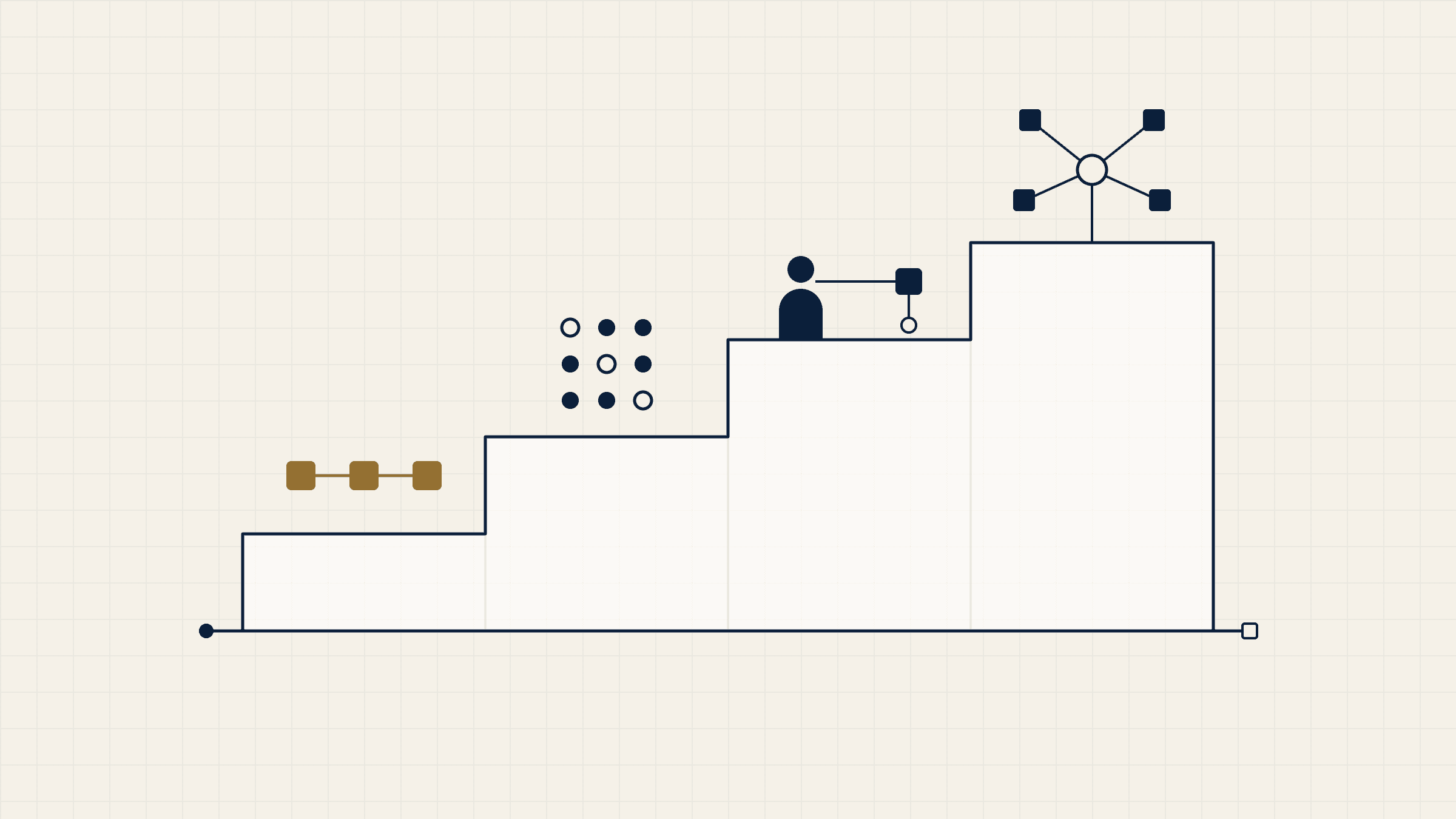
In this article we split AI in HR into four levels, from simple automation to autonomous agents. Each level builds on the one before. Most organisations get the best return from the first two, and very few should begin at the fourth. We finish with a practical way to start: one use case, one pilot, your own data, and GDPR built in from the first day.
Why most HR AI projects stall before they start
Most HR AI projects do not fail in production. They fail months earlier, in workshops and steering meetings, before a single model is trained. The causes are remarkably consistent.
Starting with the tool instead of the problem
A vendor demo is impressive, a licence is bought, and only then does someone ask what it should do. The better question is always the boring one: which HR process costs us the most time, money or people right now?
Messy HR data
HR data is rarely as clean as it looks in a dashboard. Job codes change after a reorganisation, absence reasons are entered inconsistently, and exit interviews sit in free text or in someone's inbox. Any AI built on that data inherits its gaps.
No clear owner
HR assumes IT will run it. IT assumes HR owns the process. The data protection officer hears about it last. Without one named owner who is accountable for the outcome, decisions drift and the project quietly stops.
Scope that is too big
"Let's use AI across the whole employee lifecycle" sounds strategic. In practice it means twelve months of requirements gathering and no result anyone can measure. Small, specific scopes survive; big ones stall.
Legal and works-council concerns raised too late
In Austria and Germany, a tool that can monitor or evaluate employees usually needs the works council on board. When legal and employee representatives are brought in after the design is finished, the project often goes back to the start.
Level 1: Automation
What it is: software that follows fixed rules you define, doing the same repetitive task the same way every time.
HR automation does not learn, but it is the foundation for everything that follows and often where the quickest savings are.
A concrete HR example
Every month, an HR analyst exports headcount, absence and overtime data from three systems, pastes it into a spreadsheet, fixes the formatting and emails a report to twelve managers. A rules-based workflow can pull the same data, apply the same checks and deliver the report automatically. The same logic works for onboarding: when a contract is signed, accounts, equipment requests and a first-week schedule are triggered without anyone chasing them.
What you need in place
You need a process that is stable and already documented, even informally. You need access to the source systems, whether that is SAP SuccessFactors Employee Central, Oracle HCM or your payroll system. And you need one person who knows the exceptions, because every HR process has them.
Typical risk or limitation
Automation makes a bad process run faster. If the underlying report is wrong or nobody reads it, automating it changes nothing. Rules also break when the process changes, so someone has to maintain them.
Level 2: Machine learning
What it is: models that find patterns in your historical data and use them to make predictions about new cases.
Instead of following rules you wrote, the system learns from examples, such as which factors tended to come before a resignation.
A concrete HR example
Flight-risk prediction is the classic case. A model looks at tenure, time since last promotion, pay position within the band, manager changes, overtime and absence patterns, and estimates which employees are more likely to leave in the next six to twelve months. HR business partners then use that signal to prioritise stay conversations, not to make decisions about individuals. Similar models can flag unusual absence patterns in a team or forecast overtime peaks before they happen.
What you need in place
Machine learning needs history: typically at least two to three years of reasonably consistent data, with enough real examples of the outcome you want to predict. A company of 150 people with eight resignations a year simply does not have enough cases for a reliable attrition model. You also need a clear definition of the outcome, a data protection review before any personal data is used, and someone in HR who can interpret the results.
Typical risk or limitation
Models learn from the past, including its biases. If certain groups were promoted less often historically, a model can quietly reproduce that pattern. Predictions are probabilities, not facts, and they lose accuracy when the organisation changes. A model needs regular checks, not a one-off launch.
Level 3: Augmented intelligence
What it is: AI that works alongside a person, drafting, summarising or recommending, while the person stays responsible for the decision.
Most of today's generative AI sits here: language models write the first draft of many HR tasks, and a human reviews, corrects and decides.
A concrete HR example
An HR service team receives hundreds of payroll queries a month: why is my net pay lower, when is the bonus paid, how is holiday pay calculated. An assistant can read the question, look up the relevant policy and the employee's payslip data, and draft an answer for the HR specialist to check and send. In recruiting, the same approach can summarise applications against the job requirements, so a recruiter reviews a structured overview instead of reading every CV from scratch.
What you need in place
You need the automation and data foundations from Levels 1 and 2: clean master data and well-maintained policy documents. You need a clear rule on which data the assistant may access, and a secure environment so employee data does not leave your control. Most of all, you need a working review step, not a checkbox that people click through.
Typical risk or limitation
Language models can produce confident, fluent and wrong answers. The risk is not the occasional error; it is people trusting the draft because it reads well. In recruiting, a summary that ranks candidates is already influencing a decision, which brings it close to the high-risk category of the EU AI Act discussed below.
Level 4: Autonomous agents
What it is: AI systems that plan and carry out multi-step tasks across several systems, taking actions with limited human involvement.
AI agents for HR are the current headline in almost every vendor presentation. Instead of drafting an answer, the agent completes the whole task.
A concrete HR example
An employee asks to reduce working hours from 40 to 32 from next quarter. An agent checks the policy and the collective agreement, confirms eligibility, prepares the contract amendment, updates the planned hours in the HR system, flags the change to payroll and books a conversation with the manager.
What you need in place
Everything from the three levels below, because agents are only as reliable as the foundations they sit on. You also need tightly defined permissions (what the agent may read, and what it may change), full audit logs of every action, and a clear escalation path to a human for anything unusual.
Typical risk or limitation
Mistakes at this level are actions, not drafts. A wrong change to working hours flows straight into payroll. Agents also raise the hardest legal questions, because decisions with a significant effect on employees cannot simply be left to a machine under GDPR. For these reasons, most companies should not start at Level 4. Build the foundations first, then let agents take over narrow, well-understood tasks where errors are easy to catch and reverse.
AI as a layer on top of SAP, Oracle and Excel, not a replacement
You do not need to replace your HRIS to use AI. In most of our projects, AI sits as a layer on top of the systems a company already runs. The HR system stays the single source of truth.
For companies on SAP SuccessFactors , that usually means working with data from Employee Central, Recruiting, Performance and Learning through standard APIs. For companies on Oracle HCM Cloud , the principle is the same.
Many mid-size companies still run key HR processes in Excel, and that is not a barrier. A well-structured set of spreadsheets for headcount, absence and overtime is often enough for a first automation or a simple prediction.
This approach avoids a costly platform change before you know what AI is worth to you. And if a pilot does not deliver, you switch it off without disrupting daily HR operations.
How to start: one use case, one pilot, your own data
The safest way into AI is small and specific. One use case, one time-boxed AI pilot project, run on your own data, with a result you can measure. Here is the path we follow in our applied AI consulting work.
- Pick one painful, measurable process. Look for work that is repetitive, costly and already tracked: time-to-productivity for new hires, turnover in a specific group, overtime in one department, or hours spent on a monthly report.
- Check the data before anything else. Where does it live, how many years of history exist, and how consistent is it? A two-day data check often saves two months of disappointment.
- Define the success metric and the baseline. Agree on one number before you start, such as "reduce onboarding time from 60 to 45 days", and record today's value so you can compare honestly.
- Run a time-boxed pilot. Eight to twelve weeks is usually enough for a first version: a minimum viable product that real users test on real cases, with data protection checks done up front.
- Decide to scale or stop. If the result beats the baseline, plan the rollout. If not, stop, keep what you learnt about your data and pick the next use case.
Across our projects, clients have seen 10–30% lower turnover, 20–50% faster onboarding, 10–15% fewer overtime hours and two to five times more internal promotions. These are results from our own projects, not industry averages, and they depend on the starting point.
A checklist for your next meeting
- We have named one process and one owner in HR.
- We know where the data lives and how many years of history we have.
- We have agreed one success metric and recorded the baseline.
- Our data protection officer has seen the plan.
- The works council or employee representatives have been informed.
- The pilot has a fixed end date and a budget ceiling.
- We have agreed in advance what result means "scale" and what means "stop".
If you want to work through these questions as a team, our two-day AI workshop for HR teams ends with an AI usage policy and a roadmap tailored to your organisation.
GDPR from day one
HR data is among the most sensitive data a company holds. Built in from the start, data protection rarely slows a project down; added at the end, it often stops one.
The GDPR basics that matter for HR AI
Every processing activity needs a lawful basis under the General Data Protection Regulation. In employment, consent is usually a weak basis because of the power imbalance between employer and employee, so most HR use cases rely on contract performance, legal obligation or legitimate interest, documented properly.
Data minimisation means using only the data the purpose actually needs. A flight-risk model does not need health data or private social media activity, and it should not have them.
Article 22 of the GDPR gives people the right not to be subject to a decision based solely on automated processing that has legal or similarly significant effects on them. Dismissals, promotions and hiring decisions clearly qualify. The European data protection authorities' guidelines on automated decision-making and profiling make clear that human involvement must be meaningful: a manager rubber-stamping an algorithm's output does not count.
A Data Protection Impact Assessment (DPIA) is required where processing is likely to result in a high risk to people's rights. Systematic evaluation of employees through profiling is a typical trigger, so plan for a DPIA in almost any Level 2 to Level 4 use case.
The EU AI Act: what applies and when
The EU AI Act (Regulation (EU) 2024/1689) classifies AI systems used in employment and worker management as high-risk. Its Annex III covers systems for recruitment and selection, decisions on promotion or termination, task allocation, and monitoring or evaluating the performance of workers.
The timeline has changed. The high-risk obligations for these Annex III systems were originally due to apply from 2 August 2026. The Digital Omnibus on AI (Regulation (EU) 2026/1744), adopted on 8 July 2026 and in force since 27 July 2026, moved that date to 2 December 2027. Other parts of the Act were not postponed: the prohibited practices have applied since February 2025, and the transparency obligations, such as telling people when they are interacting with an AI system, have applied since 2 August 2026.
The postponement is a planning window, not a reason to wait. The requirements themselves (risk management, human oversight, documentation, logging) are unchanged, and a system designed today will be running when they apply. Employers using a high-risk system at work must also inform workers' representatives and affected workers before putting it into service.
Involve works councils early
In Austria and Germany, introducing systems that can monitor or evaluate employees typically requires the works council's involvement, and often a formal works agreement. Show employee representatives the use case, the data and the human review step at the scoping stage. In our experience, projects that do this move faster overall, because the hardest questions are answered before the design is locked.
Start small, start sound
AI in HR is not one technology but four levels, and each one needs the foundations of the level below. Most organisations will get their first real results from automation and machine learning, not from autonomous agents. The companies that succeed are rarely the ones with the biggest budget; they are the ones that pick one clear problem, test it on their own data and involve legal and employee representatives from the first week. That is a far less exciting story than the vendor demos, and a far more reliable one.